
Key takeaways
- Free for buyers — post as many requirements as you need.
- Two steps plus a preview: Product, Details, then Preview & submit.
- Be specific: composition, GSM, size, quantity with the right unit, destination and timing.
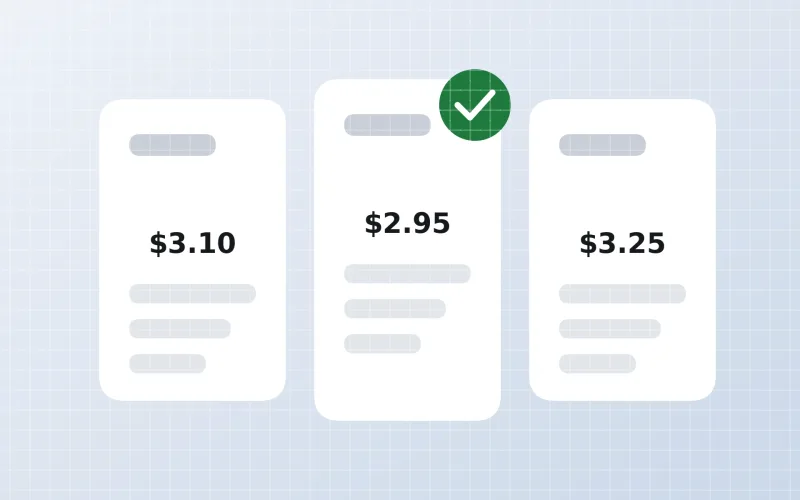
- Our team reviews each requirement before matching suppliers see it.
- Quotations arrive in your Textilepages inbox with an email notification.
What is a buy requirement?
A buy requirement (also called a buying request or RFQ) is a short description of a product you want to buy — what it is, how many, and where and when you need it. Suppliers who make that product can reply with a quotation.
It is the fastest way to reach many suppliers at once when you don’t know who to contact yet. If you already have a supplier in mind, use Send Inquiry on their company profile instead.
Before you start
Have these details ready — they make your requirement clear and your quotations easy to compare:
- Product name and use (e.g. jersey fitted sheets for retail)
- Composition and construction (e.g. 100% cotton, single jersey)
- Weight or count (e.g. 160 GSM, Ne 30/1)
- Sizes, colours and any print or embroidery
- Quantity and the correct unit (pieces, metres, kg)
- Destination port or country, and when you need the goods
- Certificates you require (e.g. OEKO-TEX Standard 100, GOTS)
Step 1: Product
Click Post Buy Requirement, choose one of the 10 categories and name the product. A clear name helps us match your request to the right suppliers.
| Category | Example products |
|---|---|
| Apparel & Garments | T-shirts, hoodies, jeans, uniforms |
| Fabric | Single jersey, twill, denim, poplin |
| Fibre & Raw Textiles | Cotton, flax, polyester staple fibre |
| Garment Accessories | Labels, buttons, zippers, sewing thread |
| Home Textiles | Towels, bed sheets, bathrobes, curtains |
| Sustainable & Eco Textile | Organic, recycled and certified materials |
| Technical Textiles | Nonwovens, filter fabrics, PPE |
| Textile Dyes & Chemicals | Dyes, auxiliaries, finishing chemicals |
| Textile Machinery | Knitting, sewing, dyeing and printing machines |
| Yarn | Combed, OE, DTY, viscose yarn |
Step 2: Details
Describe the product so a supplier can price it without asking ten questions:
| Field | What to enter | Tip |
|---|---|---|
| Quantity & unit | 9,000 pieces | Pick the unit you really mean — pieces, sets, metres, yards, kg |
| Specifications | Jersey, 160 GSM, 100% cotton | Composition, weight, construction, finish |
| Sizes & colours | Single to king · 6 colours | List sizes or attach a size chart |
| Target price | US$ 3.00–3.40 / pc (optional) | Helps suppliers judge fit; leave blank if unsure |
| Delivery | By March 2027 · Rotterdam | Port or country and the latest date |
| Trade terms | FOB, CIF or DDP | See the Incoterms guide |
| Certificates | OEKO-TEX Standard 100 | Only list what you truly need |
| Attachments | Tech pack, photo, sample image | Clear images get more accurate quotes |
A common mistake is choosing “Containers” or “Boxes” when you mean pieces. Suppliers may skip a requirement that looks unrealistic.
Step 3: Preview & submit
Check everything on the preview screen — product, quantity, unit and delivery — then submit. You can go back and edit before submitting.
Good vs weak example
“Jersey fitted sheets, 100% cotton, 160 GSM, single to king sizes, 6 colours. 9,000 pcs. Retail packing. CIF Rotterdam by March 2027. OEKO-TEX Standard 100 required.”
Specific and comparable — expect more and better quotations.“Need bedsheets. Good quality. Send best price.”
No size, fabric, quantity, destination or timing — suppliers can’t quote accurately.What happens next
- Review Our team checks your requirement for clarity and genuineness.
- Published to suppliers Suppliers in the matching category can see it and send quotations.
- Quotations arrive You get them in your Textilepages inbox, with a notification — see your inbox explained.
- You reply Ask questions, request samples and compare — see How to Compare Quotations.
Your contact details are not shown publicly on the requirement; suppliers contact you through Textilepages messaging — see How Messaging Works.
Manage your requirements
Go to My Business → My Requirements to see each requirement, how many quotations it has received, and to edit or close it once you have found a supplier.
Tips for more quotations
- Use the product name buyers and suppliers both use (e.g. “single jersey fabric”, not “T-shirt cloth”).
- Add a photo or tech pack.
- Give a realistic quantity and delivery date.
- Reply quickly to the first quotations — engaged buyers get better follow-up.
- Post separate requirements for very different products.
Frequently asked questions
Is posting a buy requirement free?
Yes. Posting buy requirements on Textilepages is free for buyers.
How long does it take to get quotations?
It depends on the product and how specific your requirement is. Clear requirements with quantity, specifications and destination usually receive replies sooner.
Can I edit or close my requirement?
Yes. Open My Business → My Requirements to edit details or close the requirement when you have found a supplier.
Will suppliers see my phone number and email?
Your contact details are not shown publicly on the requirement. Suppliers send quotations through Textilepages and you choose who to reply to.
What is the difference between a buy requirement and an inquiry?
A buy requirement is visible to all matching suppliers. An inquiry is a private message to one supplier you choose from their company profile.
This guide explains how Textilepages works and common trade practice. It is general information, not legal, financial or customs advice.