Key takeaways
- Buy leads open to you once your listing is Live.
- Quote leads marked Matches you first.
- Answer every spec the buyer asked for; those items are marked.
- Free plan: a set number of quotations each week. Premium: more, plus full buyer contact.
- Turn on Trade Alert to get new leads by email or WhatsApp.
What buy leads are
A buy lead is a purchase requirement posted by a buyer, such as an importer, brand, retailer or garment maker. It shows the product, specs, quantity, trade term and destination. Suppliers send quotations, and the buyer compares them.
Buyer posts
Requirement is checked and published
You find it
Matching leads shown first
You quote
Price, MOQ, lead time
Buyer compares
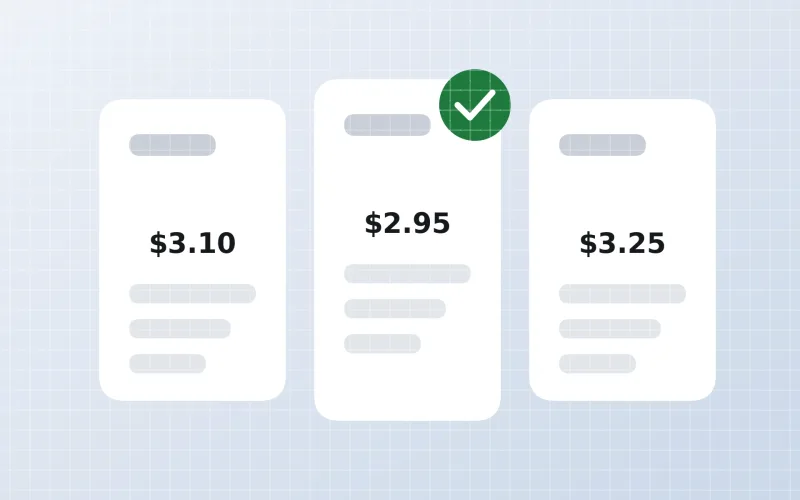
Quotes side by side
You talk
In your inbox
Find the right leads
- Matching my products: leads that fit your categories and products.
- Filters: category, buyer country, date posted and competition, such as fewer than 5 quotes.
- Sort: newest first, fewest quotes or largest quantity.
- Quote leads you can really supply. A focused quote beats ten generic ones.
Read a lead
| Part | What to check |
|---|---|
| Product and specs | Composition, GSM, size, colour, certificates |
| Quantity | Total and per size or colour |
| Trade term and port | FOB, CIF, CFR, DDP and destination |
| Buyer type and country | Brand, importer, retailer, trader |
| Lead status | How many quotes so far and when quotes close |
| Asked by buyer | Items marked in red must be in your quote |
Send a quotation
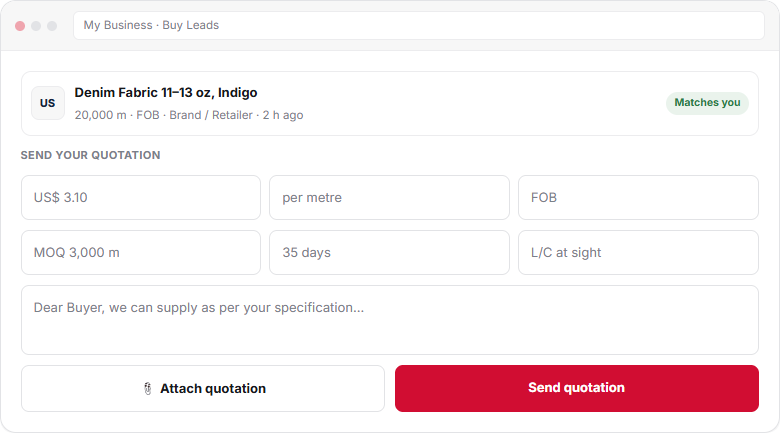
- Open a matching leadIn My Business → Buy Leads, open a lead marked Matches you.
- Read the requirementCheck product, specs, quantity, trade term, destination and closing date.
- Fill in the quotationPrice, unit, trade term, MOQ, lead time and payment terms.
- Write a short message Answer the buyer’s questions and offer a sample.
- Attach files and send Add a quotation PDF or photos, then click Send quotation.
Write a quote that wins
“US$ 2.95/pc FOB Karachi for 160 GSM, US$ 2.80 for 140 GSM. MOQ 1,500 per colour. 40 days. OEKO-TEX Standard 100. Two samples per GSM by courier this week.”
Complete, comparable and with a next step.“We can do. Best price. Contact us.”
No price, no terms. The buyer cannot compare it.- Quote per size, GSM or colour if the buyer asked.
- Include packing details for retail orders.
- Mention the certificates the buyer asked for.
- Offer samples or photos of similar work.
Free and Premium
| plan | Free plan | Premium (Basic · Standard · Business) |
|---|---|---|
| Quotations | A set number each week | More, by plan |
| Buyer contact details | Company name, phone and email hidden | Full contact shown |
| Trade Alert | ✓ | ✓ |
Free plan limits change from time to time and are counted weekly. Your dashboard shows how many quotations you have left this week. Compare plans inPremium membership.
Quotation status
Each lead shows how many suppliers have quoted and when quotes close. After you send, the buyer’s replies arrive in your inbox under Buy Leads. If the buyer asks questions, answer fast: Reply to buyer inquiries.
Trade Alert
Create a Trade Alert with keywords such as “fitted sheets” or “combed cotton yarn”. New matching leads then reach you by email or WhatsApp, so you can quote early.
Frequently asked questions
How many buy leads can I quote on the Free plan?
Free members get a set number of quotations each week. The number can change from time to time, and your dashboard shows how many you have left. Premium plans include more.
Can I see the buyer’s phone and email?
Full buyer contact details, including company name, phone and email, are shown to Premium members. Free members can still quote and talk to the buyer through the inbox.
Which buy leads should I quote first?
Start with leads marked Matches you, posted recently and with few quotations. Quote only what you can really supply at the asked specs.
What is Trade Alert?
Trade Alert sends you new buy leads that match your keywords by email or WhatsApp, so you can quote while the lead is fresh.
What happens after I send a quotation?
The buyer compares quotations. Replies come to your inbox under Buy Leads. Answer questions fast and offer samples to move forward.
This guide explains how Textilepages works and common trade practice. It is general information, not legal, financial or customs advice.